LogoLabs just shipped Inkvec 0.2.6 on October 4, its sixth release in eight days. Inkvec is a free AI logo vectorizer: drop in a PNG, JPEG or WebP of a logo or icon, and you get back a clean, editable SVG. The browser version runs entirely on your own machine, with no account and no upload. The code is Apache-2.0.
If you’ve ever had a client send their “logo” as a 200-pixel screenshot, you know why this matters. The same lab also released Agate Preview 003 on September 29. It’s a tiny 261M-parameter, MIT-licensed image model that also runs in a browser tab. Below: what each one does, how they compare with the tracers you already know, and how to try both today without paying anything.
At a Glance
- What it is: Inkvec turns raster logos, icons, emoji and flat illustrations into SVG. Circles come back as real
<circle>elements, gradients come back as gradients, and the file uses about as few points as a designer would. - What’s free: all of it. That covers the browser Studio, the command line (about 3 MB), the desktop app for Windows, macOS and Linux, and the two helper models for cleanup and upscaling. Everything is Apache-2.0, so commercial use is fine.
- Hardware: any modern laptop. The tracer is CPU-only WebAssembly. Agate wants a WebGPU browser (Chrome or Edge 113+) and a ~530 MB one-time download.
- The catch: it’s built for flat artwork. Photos, brush work and pencil sketches are out of scope, and live text comes back as outlines.
- Benchmark caveat: the “4.4× fewer points than VTracer” claim comes from LogoLabs’ own 21-image test, with no error bars.
What Inkvec Actually Does Differently
Most auto-tracers put down points wherever a curve-fit tolerance allows, which is why the SVGs they produce are bloated and awkward to edit. Inkvec instead places each boundary where the anti-aliased edge pixels say it belongs. LogoLabs reports ~0.05 px accuracy on synthetic test circles. It then uses a minimum-description-length rule to pick how many coordinates to keep, so there’s no tolerance slider to guess at.
For a designer, that means three practical things. When you open the file in Figma or Illustrator, a circle is still a circle and a rounded rectangle is still a <rect>. Shapes are stacked rather than cut up like a jigsaw, so moving one doesn’t leave a hole in the shape behind it. And neighbouring shapes that share a colour are merged into one compound path. Transparency is kept as transparency.
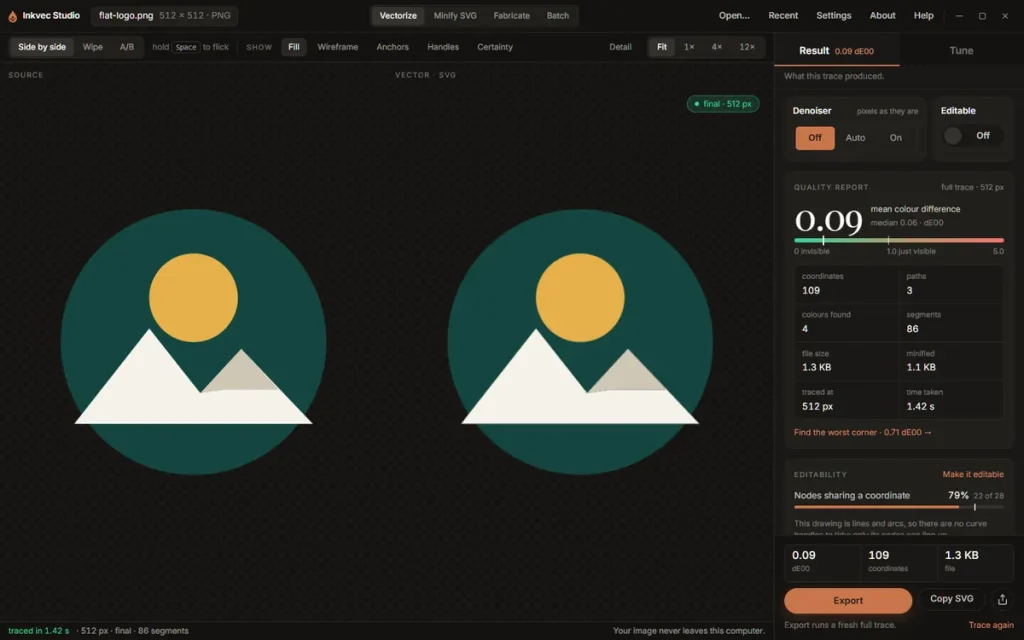
I ran the built-in “Flat logo” sample (512 px) through the free browser Studio in Quality mode. The trace finished in 567 ms and produced 4 paths, 101 coordinates and a 1.4 KB SVG, with a mean colour difference (ΔE00) of 0.06. The usual rule of thumb is that a trained eye starts to notice a difference around 1.0, so 0.06 is well below what you’d see.
The Cleanup Models: Denoiser and 4× Super-Resolution
Real client files arrive as JPEG screenshots, which is why LogoLabs released two small helper models alongside the tracer. Both are Apache-2.0:
- Inkvec Denoiser is a 19.7M-parameter ConvNeXt U-Net. It removes JPEG, WebP and AI-decoder damage before tracing, and the browser Studio downloads it once (about 102 MB) in the background.
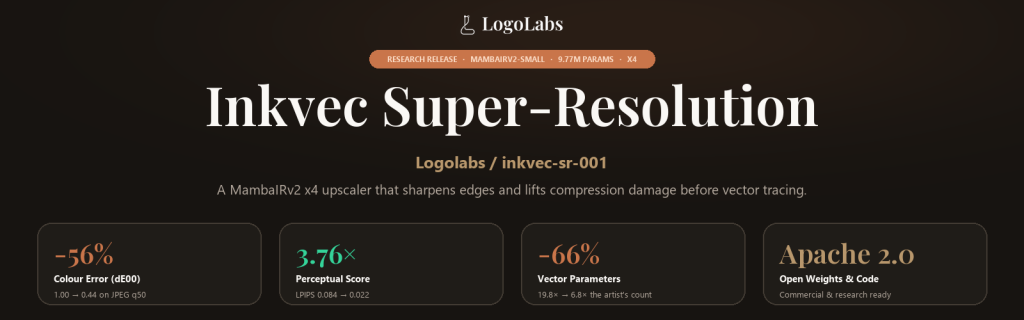
- Inkvec Super-Resolution is a fine-tuned MambaIRv2-Small (9.77M parameters, ~20 MB fp16) that upscales tiny logos 4× before tracing. LogoLabs reports +4.34 dB over bicubic on a real wordmark.
One thing the vendor is upfront about: the denoiser weights that actually ship have no published benchmark in the repo yet. Treat it as “probably helps on JPEG mush” until you’ve tested it on your own files.
Agate Preview 003: A Tiny Image Model That Runs in a Tab
Agate is the second half of the story. LogoLabs describes it as groundwork for generating glyphs, symbols and eventually vector-native fonts through Inkvec. For now it’s a general text-to-image model. It has 261M parameters, renders at 512 × 512, and is MIT-licensed for both code and weights.
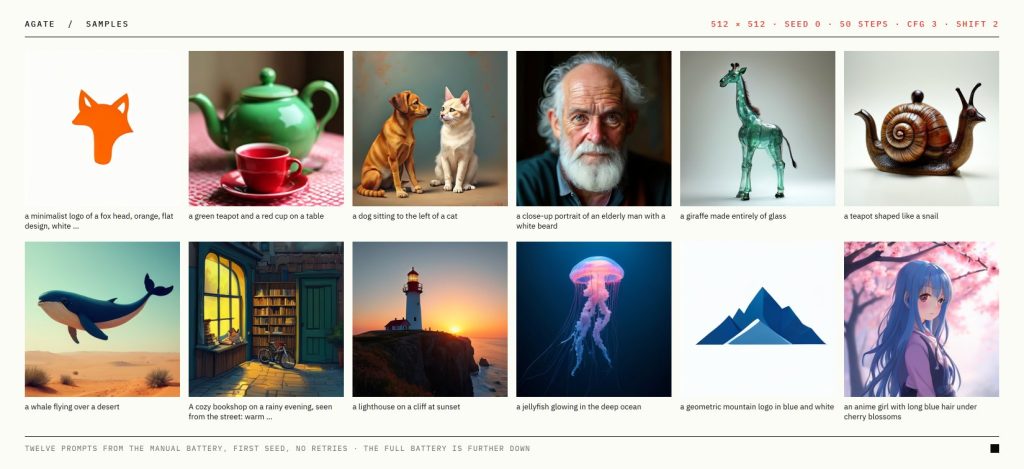
Keep expectations realistic. LogoLabs’ own Qwen-Image-Bench run puts it at 32.6, against 29.1 for Stable Diffusion 1.5. That score is self-evaluated and not submitted to the leaderboard. On GenEval it actually dropped slightly versus Preview 002 (0.554 vs 0.577). This is SD 1.5-class quality, not a FLUX or Ideogram 4.5 competitor. What it does well is run on almost anything: 2.9 s per image on an RTX 4060 with 5.7 GB VRAM, roughly 100 s on a CPU, or about 8 s in the browser.
Inkvec vs. VTracer vs. Inkscape vs. Illustrator
| Tool | Free? | License | Runs in browser | Best at | Speed |
|---|---|---|---|---|---|
| Inkvec 0.2.6 | Yes | Apache-2.0 | Yes (WebAssembly, local) | Clean, editable logo/icon SVGs with real primitives and gradients | ~1 s/graphic (Quality); 44 ms at 512 px (Fast) |
| VTracer | Yes | MIT | Yes (web demo) | Very fast tracing, including photos and posters | 0.04–0.05 s per case |
| Inkscape Trace Bitmap | Yes | GPL | No (desktop) | Single-colour and simple multi-colour tracing inside a full editor | Fast |
| Adobe Illustrator Image Trace | No (subscription) | Proprietary | No | Integrated tracing for teams already on Creative Cloud | Fast |
On those 21 cases, LogoLabs measured a mean colour error of 0.132 for Inkvec against 1.303 for VTracer’s defaults, with 446 coordinates against 1,943. That’s a big gap on paper. But it’s n = 21, run by the vendor, and three of the logos aren’t in the public repo. So read it as “promising”, not “proven”.
Try It Free: Use the Free AI Logo Vectorizer and Agate Today
Fastest path (no install): open Inkvec Studio Lite in its own tab. The Hugging Face Space page embeds it in a frame, which limits it to one thread. The first visit downloads a ~6 MB engine. Then drag in a logo or click a sample, check the Quality Report, and click Export for an SVG, a minified SVG, PNG sizes or a favicon set. Browser traces are capped at 2048 px.
Desktop or command line: grab a build from the Releases page. The CLI is ~3 MB, or ~10–13 MB with the restorer built in. The Studio app is a 21 MB Windows .exe, a 28 MB Apple-silicon .dmg, or a ~33 MB Linux .deb. Then:
inkvec logo.png -o logo.svg
inkvec client-logo.jpg -o clean.svg --restore auto --sr auto --minify
inkvec icon.png -o icon.svg --mode fast --no-background
Rust users can build from source with cargo install --path crates/inkvec-cli (Rust 1.88+). The full pipeline write-up is in the Inkvec docs.
Agate: open the Agate WebGPU demo in Chrome or Edge 113+. It downloads ~530 MB once and caches it. Your prompts never leave your machine. To run it locally in Python:
pip install torch transformers diffusers safetensors huggingface_hub pillow invisible-watermarkThen load AgatePipeline from the model card’s quick start. ComfyUI users can install the Agate ComfyUI nodes instead.
Honest Trade-offs
- Quality mode is slow next to VTracer: about 1.17 s against 0.05 s per graphic. That’s fine for a single logo, but use
--mode fastfor batches. - Not for photos or hand-drawn work. Pencil, brush and photographic input are explicitly out of scope.
- Some things are lost in tracing: layer names, live text and adjustable stroke widths (unless the strokes are uniform and you pass
--strokes). - Garbage in, garbage colours out. Colours are measured from the pixels, so check them against the brand hex values.
- Agate has no built-in safety filter. LogoLabs’ own red-team test found it renders adult nudity in about 1 in 10 ordinary people prompts. Add a negative prompt like “nudity” before you put it in front of anyone.
- Linux desktop app requires glibc 2.38 (Ubuntu 23.10+). On older distros, use the plain CLI archive.
Workflow Tips
- Before you trace a JPEG from a client, run
--restore auto --sr auto. It only cleans up when it detects damage. - Add
--monochrome --no-backgroundwhen you’re tracing for vinyl, stencils or laser cutting. The Studio’s Fabricate tab also runs a cut-line preflight. - Turn on the Wireframe or Anchors view before you export. Spotting stray nodes there is faster than fixing them later in Figma.
- Use Minify SVG on icons you already have. LogoLabs reports about a third off its 246-icon test set without moving any geometry.
- Pair the vectorizer with an open layout model like Ming-Image-0.1-Design, or an agent canvas like Doop. Generate there, then trace the final mark to SVG.
Want to see how today’s hosted models handle logo and text design before you trace the results? Watch our Ideogram 4.5 vs. GPT Image 2.5 design challenge, and find more head-to-heads on the Creative AI Show YouTube channel.
FAQ
Is Inkvec free?
Yes. The browser Studio, CLI, desktop app and helper models are all free and Apache-2.0 licensed. There’s no account, watermark or export limit.
Can I use Inkvec and Agate commercially?
Yes. Inkvec is Apache-2.0 and Agate is MIT, for both code and weights. You’re still responsible for having the rights to any logo you trace.
What are the system requirements?
Inkvec runs on the CPU in any modern browser and is designed for a laptop or desktop screen. Agate needs Chrome or Edge 113+ with WebGPU, or about 5.7 GB VRAM to run locally in Python. It also runs on a CPU at roughly 100 seconds per image.
Does Inkvec upload my images?
No. The tracer runs as WebAssembly inside your browser tab, and your file never leaves your computer.
Can Inkvec vectorize photos?
Not well, and it isn’t meant to. For posterized photo effects, VTracer is the better free choice.
Accurate as of October 5, 2026. Inkvec is shipping new releases every few days, so version numbers and benchmarks may change quickly.
No responses yet